
Instant PNG to Desktop
A free Photoshop script that skips Export As: one press and the artboard you're on is a PNG on your desktop.
When I'm working on a comp, I'm constantly sending a quick PNG somewhere: into Magnific, into a chat with a client, into a Kling or Seedance prompt as a start frame. And every time Photoshop wants a little conversation about it first. Export As, pick a format, pick a size, pick a folder, think of a name, overwrite or not. For a picture I need for about thirty seconds.
So this script skips all of that. Select any layer on the artboard you want, run it, and a PNG of that artboard is on your desktop. No dialogs.
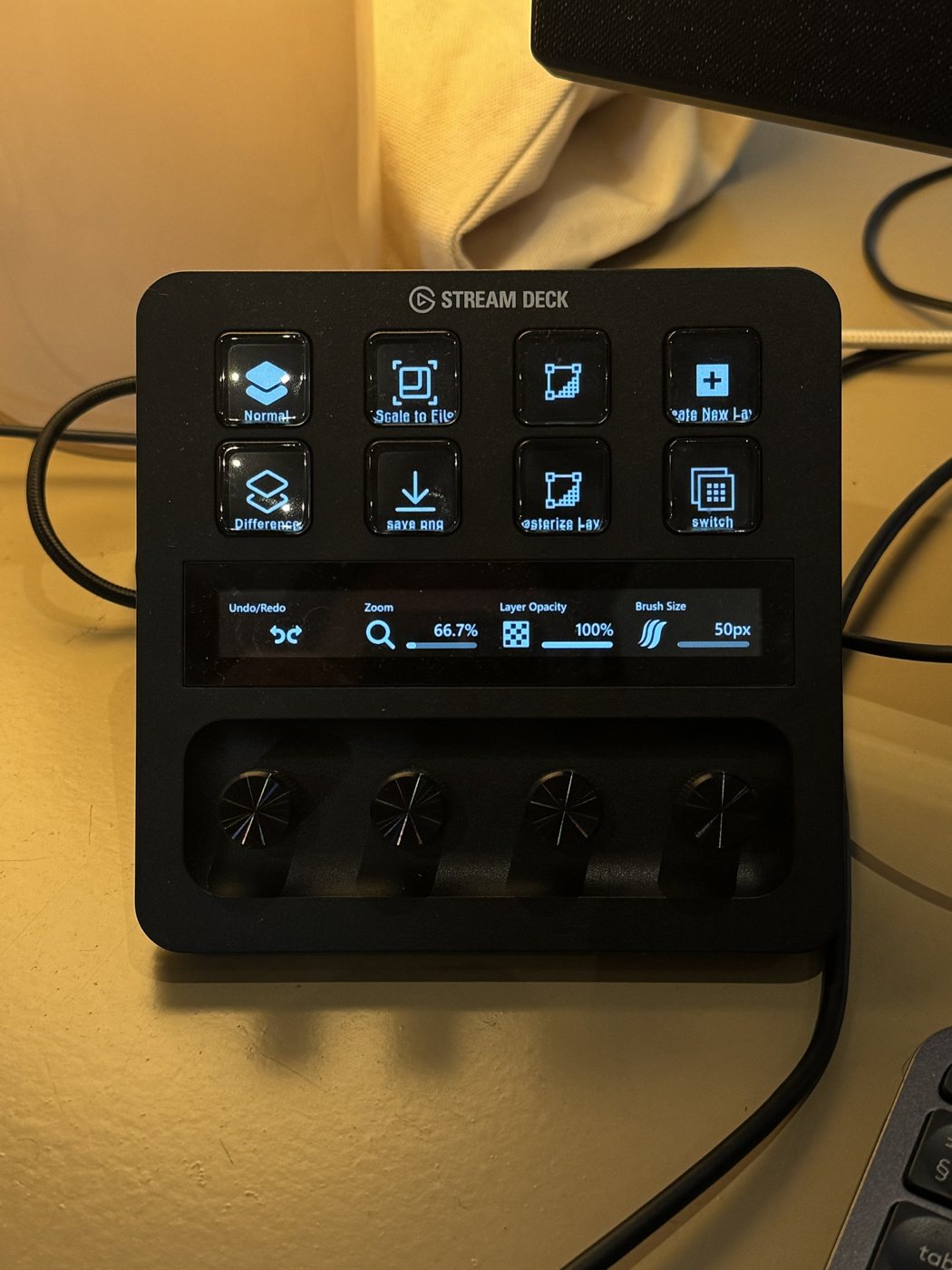
My little Stream Deck next to the keyboard. "save png" is this script, "Scale to Fit" is Fit Layer to Canvas, and the dials do zoom, layer opacity and brush size.
I have it on a button on a little Stream Deck console that sits next to my keyboard. One press and the PNG is there. It sounds like a tiny thing, but it changes how you work: you stop thinking of exporting as a task and start doing it all the time, because it costs nothing.
What it does
- Saves the artboard that holds the selected layer as a flattened PNG. Documents without artboards are saved whole.
- The file goes to your desktop, named after the document and the artboard plus the date and time, like
poster_Instagram_20261106_105230.png. Nothing ever gets overwritten. - It works on a copy, so your document is never changed.
- It exports through Save for Web, which leaves out the original photo's metadata. Handy side effect: your file browser shows today's date instead of the date the source photo was taken, so the newest export is actually at the top.
Want the PNGs somewhere else, like a Dropbox temp folder? Open the file in a text editor and change OUT_FOLDER at the top to any folder.
Install
- Put the .jsx in Photoshop's scripts folder. On Windows that's
C:\Program Files\Adobe\Adobe Photoshop (version)\Presets\Scripts, on a MacApplications/Adobe Photoshop (version)/Presets/Scripts. - Restart Photoshop. It's now under File › Scripts › Instant PNG to Desktop.
- Give it a shortcut: Edit › Keyboard Shortcuts, set the dropdown to Application Menus, open File › Scripts, click the script and press the keys you want.
On a Stream Deck
Once the script has a keyboard shortcut, the Stream Deck part is easy: drag a Hotkey action onto a button and press that same shortcut. The button just sends the keys to Photoshop. Give it an icon and a name and you've got a save-PNG button. Works the same with any macro pad or programmable mouse button.
Questions
How do I export one artboard as a PNG in Photoshop without dialogs?
Select any layer on that artboard and run this script. It saves just that artboard as a flattened PNG on your desktop, named with the document, artboard and time.
Where does the PNG go?
To your desktop, on Windows and Mac. To use another folder, change OUT_FOLDER at the top of the script.
Can I run it from a Stream Deck?
Yes. Give the script a keyboard shortcut in Photoshop, then put a Hotkey action with that shortcut on a Stream Deck button.
Does it change my file?
No. It works on a copy and closes it again, so your document is never touched.
Free to use and share.